the storage upgrade you already own
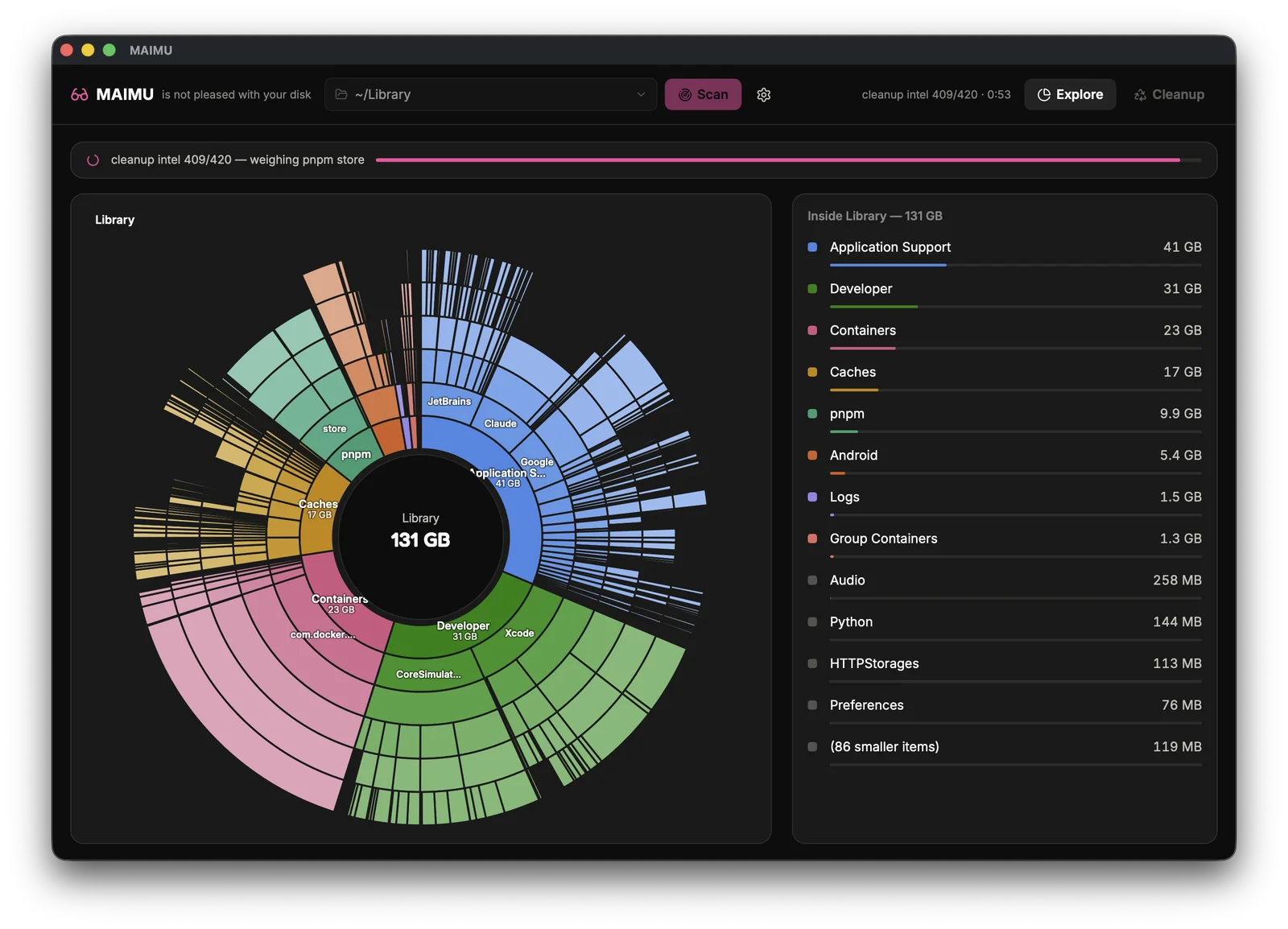
The 131 GB Library you can’t see.
On Apple Silicon the SSD is soldered: the size you picked at checkout is the size you have, forever, and the next step up costs hundreds. Before you carry an external drive everywhere — look at what’s already squatting on the disk you paid for.
That’s the folder macOS mostly reports as “System Data” — invisible in Finder by default, unexplained in Storage settings. MAIMU draws it ring by ring.
Apps park everything here — including VMs, models and bundles from apps you deleted a year ago. Mapped, so you finally see who.
Sandboxed apps each get a private box; the boxes stay when apps go. On this Mac: 23 GB of them.
Caches exist to be rebuilt. MAIMU shows which app is hoarding how much, and everything it deletes goes to the Trash first.
Safe enough to actually let near your files
Free tier shows you everything — the full map, every folder, no payment. The one-time license is only for the cleanup itself, and the safety contract (trash-first, home-only, logged) holds either way. “Up to” — your disk decides the number.
free to see everything · pro €9.99 / $9.99, pay once · up to — never guaranteed — your disk decides